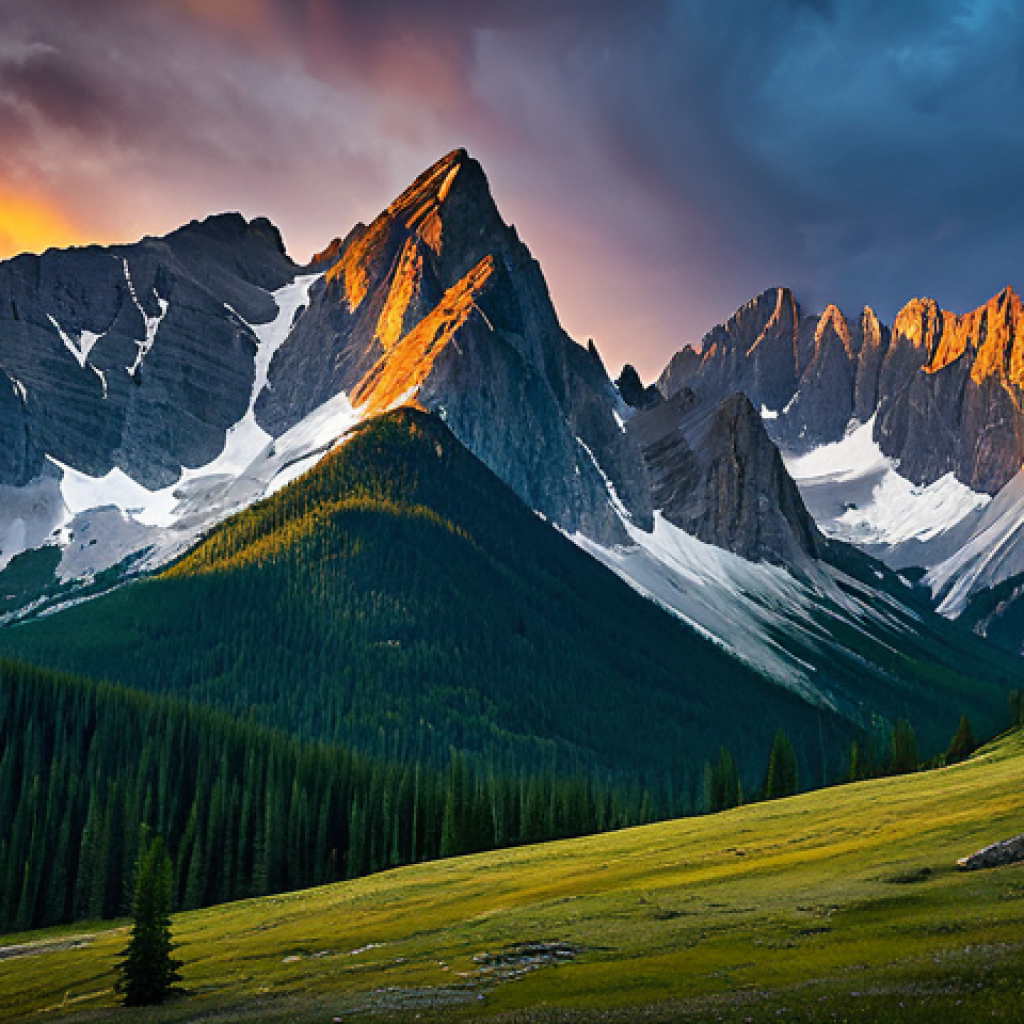
Have you ever felt the urge to capture the serene beauty of nature through digital art? I know I have! There’s something incredibly satisfying about translating the textures of leaves, the shimmer of water, or the ruggedness of mountains onto a digital canvas.
It might seem daunting at first, but with the right techniques and a little practice, anyone can create stunning digital landscapes. The evolving world of AI is even offering new tools to enhance our artistic process, suggesting personalized color palettes or even generating initial sketches.
However, the true magic still lies in our personal touch and creative vision. So, let’s explore this exciting world together and learn how to bring nature to life in our digital art!
Let’s dive in and accurately uncover some helpful ways!
Crafting Believable Skies and Atmospheric Perspective
Mastering the Art of Digital Foliage
Building a Basic Leaf Brush
Alright, let’s talk leaves. I remember when I first started, my trees looked like green broccoli. Not the best.
The trick is to create a custom brush that mimics the natural variation of foliage. Start with a round brush in your software of choice (Photoshop, Procreate, etc.).
Adjust the settings for size jitter, angle jitter, and scattering. This will give you a more random distribution of leaves. I personally love using a slightly textured brush for this, giving the leaves a bit of grit and realism.
Experiment with different brush shapes too – some leaves are more oval, others are spiky. And don’t forget opacity! Varying the opacity of your brush strokes will add depth and prevent your foliage from looking flat.
Layering Techniques for Realistic Depth
Layering is your best friend when it comes to digital foliage. Think about how real trees look – there are layers upon layers of leaves, some in shadow, some catching the light.
Start with a base layer of darker greens to establish the overall shape of the tree. Then, add layers of lighter greens and yellows on top to simulate highlights.
Don’t be afraid to use different shades and hues to create visual interest. I’ve found that using a clipping mask can be super helpful here. Create a new layer, clip it to your base layer, and then you can paint on highlights and shadows without worrying about going outside the lines.
It’s like magic! Remember when I was working on a piece with a forest scene? I kept struggling with the depth of the foliage.
Then I tried this layering technique, and boom, the trees popped!
Adding Details: Twigs, Branches, and Light
Once you’ve got your basic foliage down, it’s time to add the details that will really bring your trees to life. This means twigs, branches, and dappled light.
Use a smaller, harder brush to paint in the branches, paying attention to their structure and how they connect to the trunk. Consider the type of tree you’re drawing – different trees have different branching patterns.
Add some subtle highlights to the branches to make them stand out. For dappled light, try using a soft, round brush with a low opacity and a light yellow or orange color.
Gently paint in areas of light filtering through the leaves. You can also use a texture overlay to create a more realistic effect. I once spent hours just studying the way light filters through the leaves of an oak tree.
It was tedious, but the result was so worth it!
Depicting Water Reflections Accurately
Understanding the Behavior of Light on Water
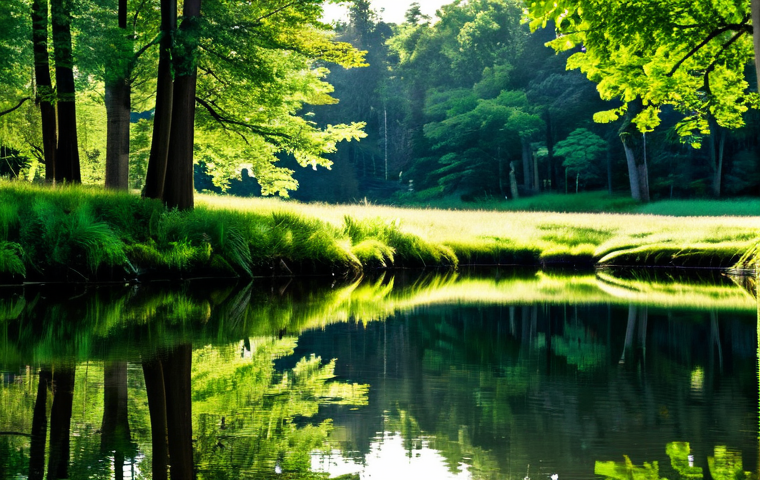
Reflections are all about how light interacts with water. A perfectly still body of water acts like a mirror, reflecting the scene above it almost perfectly.
However, even the slightest ripple can distort the reflection, creating a more abstract and interesting effect. The key is to understand that the intensity of the reflection depends on the angle of the light.
When the sun is low in the sky, the reflection will be more intense. When the sun is directly overhead, the reflection will be weaker.
Creating the Illusion of Depth and Movement
To create a convincing water reflection, you need to consider depth and movement. The reflection should be slightly blurred and distorted compared to the original scene.
This helps to create the illusion of depth. For movement, try using a ripple or wave texture. You can create this texture yourself or find one online.
Overlay the texture onto your reflection and adjust the opacity to your liking. I remember when I was working on a piece with a lake scene, I added a subtle ripple texture to the reflection, and it instantly made the water look more realistic.
Color Palette and Blending Techniques for Water
The color of the water is crucial to creating a convincing reflection. The water should reflect the colors of the sky and the surrounding environment.
However, the colors should be slightly muted and desaturated. This helps to create a sense of depth and distance. Use blending modes like “Overlay” or “Soft Light” to blend the reflection with the water.
Experiment with different blending modes to see what works best for your particular scene. I often use a gradient map to adjust the colors of the water, giving it a more subtle and natural look.
Capturing Realistic Textures of Rocks and Mountains
Analyzing Real-World Rock Formations
Before you start drawing rocks and mountains, take some time to study real-world rock formations. Pay attention to the textures, shapes, and colors. Notice how the rocks are weathered and eroded by the elements.
Look for patterns in the rock formations, such as cracks, crevices, and layers. I find that taking photos of rocks and mountains is a great way to build up a visual library for reference.
When I was hiking in the Rockies last year, I snapped hundreds of photos of rock formations. Those photos have been invaluable for my digital art.
Brush Techniques for Simulating Rough Surfaces
The right brush techniques are essential for simulating the rough surfaces of rocks and mountains. Use a variety of brushes, including textured brushes, dry brushes, and splatter brushes.
Experiment with different brush sizes and opacities. Layer your brush strokes to build up the texture gradually. Don’t be afraid to use a little bit of noise to add to the realism.
I personally love using a custom brush that I created with a scan of a real rock surface. It gives my rocks a really authentic look.
Adding Details: Shadows, Highlights, and Weathering
Shadows, highlights, and weathering are the details that will really bring your rocks and mountains to life. Pay attention to the direction of the light and how it affects the shadows and highlights.
Use darker colors for the shadows and lighter colors for the highlights. Add details like cracks, crevices, and moss to simulate weathering. I often use a small, hard brush to paint in the cracks and crevices, and a soft brush to add highlights to the edges of the rocks.
I once spent an entire day just adding details to a mountain range in one of my paintings. It was painstaking work, but the result was incredible.
Utilizing AI Tools to Enhance Your Nature Art
AI-Powered Color Palette Generators
One of the coolest things about AI is its ability to generate color palettes based on images or keywords. There are several online tools that you can use to find the perfect color scheme for your nature art.
Simply upload a photo of a landscape you want to paint, or enter keywords like “sunset,” “forest,” or “mountain,” and the AI will generate a palette of complementary colors.
This can be a huge time-saver, especially if you’re struggling to find the right colors. I remember when I was working on a painting of a desert landscape, I used an AI color palette generator to find a palette of warm, earthy tones.
It saved me hours of experimenting with different colors.
AI-Assisted Sketching and Composition
Some AI tools can even help you with the initial sketching and composition of your artwork. These tools use algorithms to analyze images and suggest optimal compositions.
They can also generate basic sketches based on your input, which you can then refine and customize. While I don’t recommend relying on AI to do all the work for you, these tools can be a great starting point, especially if you’re feeling stuck or uninspired.
I once used an AI-assisted sketching tool to generate a composition for a landscape painting. It gave me a new perspective on the scene and helped me to create a more dynamic and interesting composition.
Using AI for Texture Generation and Detailing
Another area where AI can be helpful is in generating textures and adding details to your artwork. There are AI tools that can create seamless textures of various materials, such as wood, stone, and foliage.
You can then use these textures to add realism to your digital paintings. AI can also be used to add details like clouds, birds, and trees to your landscapes.
Just be careful not to overdo it, as too much AI-generated content can make your artwork look artificial. I like to use AI to generate textures for my rocks and mountains, as it can save me a lot of time and effort.
Adding Dynamic Lighting and Shadows
Understanding Light Direction and Intensity
Lighting is paramount! The direction and intensity of light drastically change the mood and realism of your nature art. Spend time observing how light interacts with different elements in nature.
Is it a harsh, direct sunlight that creates sharp, contrasting shadows? Or a soft, diffused light that gently wraps around objects? This understanding is crucial for accurate rendering.
Using Gradients and Blending Modes for Subtle Effects
Gradients and blending modes are your best friends for creating subtle yet powerful lighting effects. Use gradients to simulate the gradual transition of light across surfaces.
Experiment with blending modes like “Overlay,” “Soft Light,” or “Multiply” to create realistic shadows and highlights. For example, I often use a “Multiply” layer to create a subtle shadow over a mountain range, and then use an “Overlay” layer to add highlights to the peaks.
It’s a simple technique, but it can make a huge difference.
Creating Atmospheric Effects: Haze, Mist, and Fog
Atmospheric effects like haze, mist, and fog can add a sense of depth, mystery, and realism to your nature art. To create these effects, use a soft, round brush with a low opacity and a light color (usually a pale blue or gray).
Gently paint in areas of haze, mist, or fog, paying attention to how they affect the visibility of objects in the distance. Remember that objects further away should appear more faded and less detailed.
Balancing Realism and Artistic Expression
Finding Your Unique Style in Nature Art
While realism is important, don’t forget to inject your own personal style into your nature art. Experiment with different techniques, colors, and compositions to find what works best for you.
Don’t be afraid to break the rules and try something new. The most important thing is to create art that you’re passionate about. I personally love to use vibrant, saturated colors in my nature art, even though they might not be strictly realistic.
It’s just part of my style.
Knowing When to Add or Subtract Details
One of the biggest challenges in creating realistic nature art is knowing when to add or subtract details. Too many details can make your artwork look cluttered and overwhelming, while too few details can make it look bland and uninspired.
The key is to find a balance that works for you. I often start with a detailed base and then gradually remove elements that I feel are distracting or unnecessary.
Using Color Theory to Evoke Emotion
Color is a powerful tool for evoking emotion in your artwork. Use color theory to create a mood or atmosphere that you want to convey. Warm colors like red, orange, and yellow tend to evoke feelings of warmth, energy, and excitement.
Cool colors like blue, green, and purple tend to evoke feelings of calmness, peace, and tranquility. I often use color to create a sense of drama in my landscape paintings.
For example, I might use a combination of warm and cool colors to create a sense of tension and contrast. Here’s a quick reference table to help you remember some of the key techniques we’ve discussed:
| Technique | Description | Tips |
|---|---|---|
| Foliage Layering | Building depth in trees by layering different shades of green. | Use clipping masks for precise control. |
| Water Reflections | Creating realistic reflections using blurring and distortion. | Consider the angle of light and ripple textures. |
| Rock Textures | Simulating rough surfaces with various brush techniques. | Use custom brushes and add weathering details. |
| Dynamic Lighting | Adding realism with gradients and blending modes. | Understand light direction and intensity. |
| AI Color Palettes | Generating color schemes with AI tools. | Experiment with different keywords and images. |
Crafting Believable Skies and Atmospheric Perspective
Mastering the Art of Digital Foliage
Building a Basic Leaf Brush
Alright, let’s talk leaves. I remember when I first started, my trees looked like green broccoli. Not the best. The trick is to create a custom brush that mimics the natural variation of foliage. Start with a round brush in your software of choice (Photoshop, Procreate, etc.). Adjust the settings for size jitter, angle jitter, and scattering. This will give you a more random distribution of leaves. I personally love using a slightly textured brush for this, giving the leaves a bit of grit and realism. Experiment with different brush shapes too – some leaves are more oval, others are spiky. And don’t forget opacity! Varying the opacity of your brush strokes will add depth and prevent your foliage from looking flat.
Layering Techniques for Realistic Depth
Layering is your best friend when it comes to digital foliage. Think about how real trees look – there are layers upon layers of leaves, some in shadow, some catching the light. Start with a base layer of darker greens to establish the overall shape of the tree. Then, add layers of lighter greens and yellows on top to simulate highlights. Don’t be afraid to use different shades and hues to create visual interest. I’ve found that using a clipping mask can be super helpful here. Create a new layer, clip it to your base layer, and then you can paint on highlights and shadows without worrying about going outside the lines. It’s like magic!
Remember when I was working on a piece with a forest scene? I kept struggling with the depth of the foliage. Then I tried this layering technique, and boom, the trees popped!
Adding Details: Twigs, Branches, and Light
Once you’ve got your basic foliage down, it’s time to add the details that will really bring your trees to life. This means twigs, branches, and dappled light. Use a smaller, harder brush to paint in the branches, paying attention to their structure and how they connect to the trunk. Consider the type of tree you’re drawing – different trees have different branching patterns. Add some subtle highlights to the branches to make them stand out. For dappled light, try using a soft, round brush with a low opacity and a light yellow or orange color. Gently paint in areas of light filtering through the leaves. You can also use a texture overlay to create a more realistic effect.
I once spent hours just studying the way light filters through the leaves of an oak tree. It was tedious, but the result was so worth it!
Depicting Water Reflections Accurately
Understanding the Behavior of Light on Water
Reflections are all about how light interacts with water. A perfectly still body of water acts like a mirror, reflecting the scene above it almost perfectly. However, even the slightest ripple can distort the reflection, creating a more abstract and interesting effect. The key is to understand that the intensity of the reflection depends on the angle of the light. When the sun is low in the sky, the reflection will be more intense. When the sun is directly overhead, the reflection will be weaker.
Creating the Illusion of Depth and Movement
To create a convincing water reflection, you need to consider depth and movement. The reflection should be slightly blurred and distorted compared to the original scene. This helps to create the illusion of depth. For movement, try using a ripple or wave texture. You can create this texture yourself or find one online. Overlay the texture onto your reflection and adjust the opacity to your liking. I remember when I was working on a piece with a lake scene, I added a subtle ripple texture to the reflection, and it instantly made the water look more realistic.
Color Palette and Blending Techniques for Water
The color of the water is crucial to creating a convincing reflection. The water should reflect the colors of the sky and the surrounding environment. However, the colors should be slightly muted and desaturated. This helps to create a sense of depth and distance. Use blending modes like “Overlay” or “Soft Light” to blend the reflection with the water. Experiment with different blending modes to see what works best for your particular scene. I often use a gradient map to adjust the colors of the water, giving it a more subtle and natural look.
Capturing Realistic Textures of Rocks and Mountains
Analyzing Real-World Rock Formations
Before you start drawing rocks and mountains, take some time to study real-world rock formations. Pay attention to the textures, shapes, and colors. Notice how the rocks are weathered and eroded by the elements. Look for patterns in the rock formations, such as cracks, crevices, and layers. I find that taking photos of rocks and mountains is a great way to build up a visual library for reference. When I was hiking in the Rockies last year, I snapped hundreds of photos of rock formations. Those photos have been invaluable for my digital art.
Brush Techniques for Simulating Rough Surfaces
The right brush techniques are essential for simulating the rough surfaces of rocks and mountains. Use a variety of brushes, including textured brushes, dry brushes, and splatter brushes. Experiment with different brush sizes and opacities. Layer your brush strokes to build up the texture gradually. Don’t be afraid to use a little bit of noise to add to the realism. I personally love using a custom brush that I created with a scan of a real rock surface. It gives my rocks a really authentic look.
Adding Details: Shadows, Highlights, and Weathering
Shadows, highlights, and weathering are the details that will really bring your rocks and mountains to life. Pay attention to the direction of the light and how it affects the shadows and highlights. Use darker colors for the shadows and lighter colors for the highlights. Add details like cracks, crevices, and moss to simulate weathering. I often use a small, hard brush to paint in the cracks and crevices, and a soft brush to add highlights to the edges of the rocks.
I once spent an entire day just adding details to a mountain range in one of my paintings. It was painstaking work, but the result was incredible.
Utilizing AI Tools to Enhance Your Nature Art
AI-Powered Color Palette Generators
One of the coolest things about AI is its ability to generate color palettes based on images or keywords. There are several online tools that you can use to find the perfect color scheme for your nature art. Simply upload a photo of a landscape you want to paint, or enter keywords like “sunset,” “forest,” or “mountain,” and the AI will generate a palette of complementary colors. This can be a huge time-saver, especially if you’re struggling to find the right colors. I remember when I was working on a painting of a desert landscape, I used an AI color palette generator to find a palette of warm, earthy tones. It saved me hours of experimenting with different colors.
AI-Assisted Sketching and Composition
Some AI tools can even help you with the initial sketching and composition of your artwork. These tools use algorithms to analyze images and suggest optimal compositions. They can also generate basic sketches based on your input, which you can then refine and customize. While I don’t recommend relying on AI to do all the work for you, these tools can be a great starting point, especially if you’re feeling stuck or uninspired. I once used an AI-assisted sketching tool to generate a composition for a landscape painting. It gave me a new perspective on the scene and helped me to create a more dynamic and interesting composition.
Using AI for Texture Generation and Detailing
Another area where AI can be helpful is in generating textures and adding details to your artwork. There are AI tools that can create seamless textures of various materials, such as wood, stone, and foliage. You can then use these textures to add realism to your digital paintings. AI can also be used to add details like clouds, birds, and trees to your landscapes. Just be careful not to overdo it, as too much AI-generated content can make your artwork look artificial. I like to use AI to generate textures for my rocks and mountains, as it can save me a lot of time and effort.
Adding Dynamic Lighting and Shadows
Understanding Light Direction and Intensity
Lighting is paramount! The direction and intensity of light drastically change the mood and realism of your nature art. Spend time observing how light interacts with different elements in nature. Is it a harsh, direct sunlight that creates sharp, contrasting shadows? Or a soft, diffused light that gently wraps around objects? This understanding is crucial for accurate rendering.
Using Gradients and Blending Modes for Subtle Effects
Gradients and blending modes are your best friends for creating subtle yet powerful lighting effects. Use gradients to simulate the gradual transition of light across surfaces. Experiment with blending modes like “Overlay,” “Soft Light,” or “Multiply” to create realistic shadows and highlights. For example, I often use a “Multiply” layer to create a subtle shadow over a mountain range, and then use an “Overlay” layer to add highlights to the peaks. It’s a simple technique, but it can make a huge difference.
Creating Atmospheric Effects: Haze, Mist, and Fog
Atmospheric effects like haze, mist, and fog can add a sense of depth, mystery, and realism to your nature art. To create these effects, use a soft, round brush with a low opacity and a light color (usually a pale blue or gray). Gently paint in areas of haze, mist, or fog, paying attention to how they affect the visibility of objects in the distance. Remember that objects further away should appear more faded and less detailed.
Balancing Realism and Artistic Expression
Finding Your Unique Style in Nature Art
While realism is important, don’t forget to inject your own personal style into your nature art. Experiment with different techniques, colors, and compositions to find what works best for you. Don’t be afraid to break the rules and try something new. The most important thing is to create art that you’re passionate about. I personally love to use vibrant, saturated colors in my nature art, even though they might not be strictly realistic. It’s just part of my style.
Knowing When to Add or Subtract Details
One of the biggest challenges in creating realistic nature art is knowing when to add or subtract details. Too many details can make your artwork look cluttered and overwhelming, while too few details can make it look bland and uninspired. The key is to find a balance that works for you. I often start with a detailed base and then gradually remove elements that I feel are distracting or unnecessary.
Using Color Theory to Evoke Emotion
Color is a powerful tool for evoking emotion in your artwork. Use color theory to create a mood or atmosphere that you want to convey. Warm colors like red, orange, and yellow tend to evoke feelings of warmth, energy, and excitement. Cool colors like blue, green, and purple tend to evoke feelings of calmness, peace, and tranquility.
I often use color to create a sense of drama in my landscape paintings. For example, I might use a combination of warm and cool colors to create a sense of tension and contrast.
Here’s a quick reference table to help you remember some of the key techniques we’ve discussed:
| Technique | Description | Tips |
|---|---|---|
| Foliage Layering | Building depth in trees by layering different shades of green. | Use clipping masks for precise control. |
| Water Reflections | Creating realistic reflections using blurring and distortion. | Consider the angle of light and ripple textures. |
| Rock Textures | Simulating rough surfaces with various brush techniques. | Use custom brushes and add weathering details. |
| Dynamic Lighting | Adding realism with gradients and blending modes. | Understand light direction and intensity. |
| AI Color Palettes | Generating color schemes with AI tools. | Experiment with different keywords and images. |
Wrapping Up
And there you have it! From crafting the perfect leaf brush to harnessing the power of AI, I hope these tips have given you some fresh ideas for creating stunning nature art. Remember, practice makes perfect, so don’t be afraid to experiment and push your boundaries. The most important thing is to have fun and let your creativity flow.
Handy Tips & Tricks
1. Free Texture Resources: Check out websites like textures.com or ambientcg.com for high-quality, free textures you can use in your digital paintings. They’re a goldmine for adding realism!
2. Color Palette Inspiration: Follow artists on Dribbble or Behance for color palette inspiration. Seeing how other artists use color can spark new ideas for your own work.
3. Online Communities: Join online art communities like ArtStation or DeviantArt. Getting feedback from other artists can help you improve your skills and stay motivated.
4. Software Tutorials: YouTube is your best friend for learning new software techniques. There are tons of free tutorials available for Photoshop, Procreate, and other art programs.
5. Brush Organization: Organize your brushes into folders based on their purpose (e.g., foliage, rocks, clouds). This will save you time and frustration when you’re working on a project.
Key Takeaways
* Experiment with custom brushes for unique textures.
* Layering techniques are crucial for creating depth.
* Understanding light and shadow is essential for realism.
* Don’t be afraid to incorporate AI tools into your workflow.
* Balance realism with your own artistic expression.
Frequently Asked Questions (FAQ) 📖
Q: I’m a complete beginner. Can I really create digital landscapes, or is it just for experienced artists?
A: Absolutely, you can! I remember when I first started, I was intimidated by all the digital art software. But honestly, it’s like learning any new skill.
Start with the basics: understand layers, experiment with different brushes, and don’t be afraid to mess up. There are tons of free tutorials on YouTube and Skillshare that can walk you through the process step-by-step.
I even started with some free software like Krita before moving on to more advanced options. The key is to be patient with yourself and enjoy the learning journey.
Plus, you can always start with simple sketches and build up to more complex landscapes. It’s all about having fun and letting your creativity flow!
Q: What kind of software and equipment do I need to get started with digital landscape art? Is it going to cost me a fortune?
A: Not necessarily a fortune! You definitely don’t need the most expensive equipment right away. When I first started, I used a Wacom Intuos tablet – it’s pretty affordable and great for beginners.
As for software, Adobe Photoshop is industry standard, but it comes with a subscription. A fantastic free alternative is Krita – it’s open-source and packed with features.
GIMP is another solid free option. You can even start with drawing apps on your iPad or tablet if you have one. The main thing is to choose software that feels comfortable for you and experiment with different tools to find what you like.
Don’t break the bank to start; upgrade later when you’re more confident in your skills.
Q: I’m struggling to capture the realistic feel of nature in my digital landscapes.
A: ny tips on making them look more authentic? A3: Oh, I feel you! That’s something I struggled with for a long time too.
One of the biggest things that helped me was really observing nature closely. Take photos of landscapes you like, paying attention to the colors, textures, and light.
Try to mimic those details in your art. For example, instead of just using a flat green for grass, try using several shades of green, yellows, and even browns to create depth and realism.
Also, experiment with different brush settings to create texture. A textured brush can make rocks look more rugged or clouds look more fluffy. And don’t forget about atmospheric perspective!
Things that are further away appear less saturated and have less detail. Little details like that can make a huge difference in creating a believable landscape.
Also, don’t be afraid to use reference photos, especially when starting out. I often use Unsplash or Pexels for royalty-free images.
📚 References
Wikipedia Encyclopedia
구글 검색 결과
구글 검색 결과
구글 검색 결과
구글 검색 결과
구글 검색 결과